Essential cookies keep the site running. With your OK we also use optional ones to understand how the site is used and make it better. See our Cookie Policy.
Your choice is kept for 12 months.

Modern organizations stand at a pivotal moment when planning their digital setup. They must decide between a traditional enterprise data center and flexible remote services. This choice affects how a company grows over time.
This choice also impacts long-term efficiency and business agility. Leaders need to consider the benefits of full hardware control. They must also look at the quick deployment options from modern service providers.
It’s crucial to understand the differences between on premise vs cloud setups. This knowledge helps align IT spending with company goals. By exploring these options, businesses can lay a strong foundation for growth and innovation.
An enterprise data center is the core of a company’s tech world. It’s where important apps and data live. This keeps a business’s digital life running smoothly all the time.
A data center is a special building for storing and handling lots of data. It’s built to keep systems running smoothly and reliably. Effective data center management is key to keep things running without a hitch.
“The data center is the foundation of the modern digital enterprise, providing the necessary compute, storage, and networking power to drive innovation and growth.”
A strong enterprise IT infrastructure needs many parts working together. These parts help keep everything safe and running well. Here’s a list of the main parts in a data center.
| Component Category | Primary Function | Critical Requirement |
|---|---|---|
| Power Systems | Ensures continuous electricity | Redundancy and UPS |
| Cooling Units | Prevents hardware overheating | Precision temperature control |
| Networking Hardware | Manages data traffic flow | High-speed connectivity |
| Security Infrastructure | Protects physical assets | Biometric and video monitoring |
Hosting infrastructure in-house means you have full control over your data. You can make sure your systems meet your exact needs. This is hard to do in shared spaces.
Also, having your hardware nearby makes it easier to fix and update. This quick access helps IT teams handle problems fast. A top-notch enterprise IT infrastructure means you’re in charge of your enterprise data center.
For companies needing fast and secure data access, managing their own data center is key. They can set up their own security rules that fit their standards.
Today, companies have many cloud computing solutions to update their IT. These services help them adjust to market changes and stay efficient. They move from old hardware to newer, more flexible digital systems.
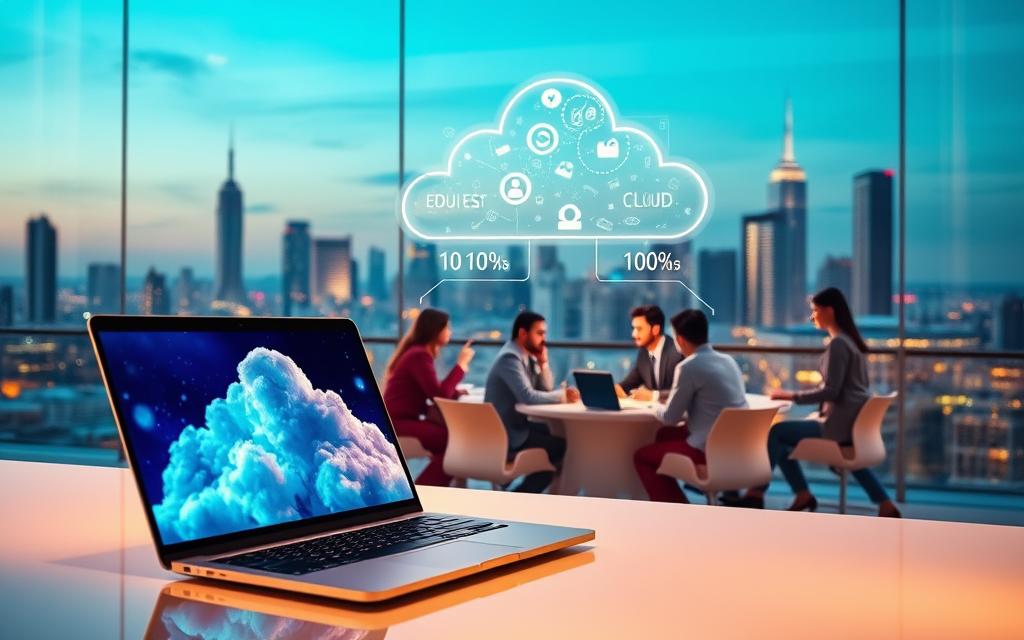
The right cloud model depends on what a company needs. Public clouds are shared and cost-effective, making them popular.
Private clouds are for one company only, offering enhanced security and customization. Many companies use multiple clouds to avoid being tied to one provider and to improve performance.
Cloud services are great because they are elastic. Companies can grow or shrink their resources as needed. This means they only pay for what they use, making costs more manageable.
Also, migrating to the cloud lets teams deploy apps quicker and work better together worldwide. This makes IT systems more reliable and ready for sudden increases in work.
The cloud market is led by a few big names. Amazon Web Services (AWS), Microsoft Azure, and Google Cloud Platform (GCP) are at the top.
These providers have special tools like advanced machine learning and global networks. Companies migrating to the cloud should pick the best one for their future needs and rules.
The debate on on premise vs cloud models is about control versus agility. Businesses need to think about their needs to choose the right model. This choice affects how resources are managed and funded.
Setting up physical infrastructure costs a lot upfront. You need to buy hardware, pay for cooling, and rent space. But, costs stay the same for a long time.
Cloud services, on the other hand, charge you for what you use. This means you only pay for what you need. It’s a more flexible way to manage costs.
Managing a physical data center costs money for maintenance and updates. Cloud services handle these costs, making them variable. This helps small businesses manage their money better.
In a private data center, performance depends on the hardware and how well it’s managed. You can control the setup for better local app performance. But, adding more capacity is slow.
Cloud services scale quickly, adjusting to demand fast. This is great for businesses with changing needs. Cloud performance is usually good, but it depends on the network and the provider’s stability.
Security is crucial for IT leaders. Private data centers give total control over data, which is good for strict regulations. But, the company must handle all security.
Cloud providers have strong security tools and meet many compliance standards. This is a big help for businesses. But, it means trusting the provider’s security measures. The choice depends on the company’s risk level and compliance needs.
| Feature | On-Premise | Cloud |
|---|---|---|
| Cost Structure | High Upfront (CAPEX) | Variable (OPEX) |
| Scalability | Manual and Slow | Instant and Elastic |
| Control | Full Ownership | Shared Responsibility |
| Optimization | Internal Team Focus | Provider Managed |
Choosing between on premise vs cloud is not simple. It’s about aligning infrastructure with business goals. This way, leaders can build a strong foundation for the future.
Choosing the right infrastructure is key. It depends on your business goals and future plans. Leaders must balance security needs with the need for quick setup. This ensures IT supports your main business tasks.
A hybrid cloud strategy is often the best choice. It balances data control with the ability to adapt quickly. This way, you can keep important data safe while using public clouds like Amazon Web Services or Microsoft Azure.
Today, businesses want to be flexible to stay ahead. Many choose cloud solutions that work well with their current systems. This helps reduce technical issues and makes systems more adaptable to changing needs.
The future is about making digital assets better over time. Companies moving to the cloud find new ways to streamline work and use resources better. By embracing these changes, businesses stay flexible and build a strong base for future tech advancements.
Following the industry, hunting a role or hiring for one: one account opens all of it.
Enter your email or username and we'll send you a secure link to set a new password.
Discussion